Using your logbook on Discord
Since December 2025, BSD migrated from a website based logbook to a Discord based logbook in order to simplify the logging of our pilot’s flight hours but also to simplify the currency check for our instructors and platoon leader. Remember that to maintain your currency, hence your MQ (Mission Qualification) and eventually your membership to your platoon and to BSD (when you are not belonging to any platoons anymore) you need to make sure that, for each helicopter you are qualified on (or for each platoon you belong to), you are able to fly at least twice a month with other members of BSD, either to a mission, a training or an impromptu flight with another BSD pilot.

Flight hours are not logged automatically
There is no way for Sharkie our bot to know if you flew with another BSD pilot (valid flight time) or on your own (not to be logged as flight time). BSD flight hours are not like IRL flight hours. They are measuring your involvement in the BSD community. As such, brief and debrief time spent with a BSD group also counts as flight hours. For the long time members, you can see that there are no more multiple fields for multicrew helicopters (like PLT and CPG for the AH64). For flight time as non flying personnel (crew chief or gunner or unapproved helicopter mod), please use the ‘Miscellaneous’ field. For academic training, use the ‘Academic’ field. For combined arms time (JTAC, Controller, etc..), use the ‘CA’ field.
Please be an adult
The logging system relies on trust from all the community. There is nothing to win by logging more flight hours than the others and having a lot of flight hours by no mean reflects your skills in flying the sim. Don’t make up hours just to pad your log or to maintain your membership. It will show up anyway at some point and the result will be the opposite of what you were trying to do.
Checking your flight hours and currency: /myhours
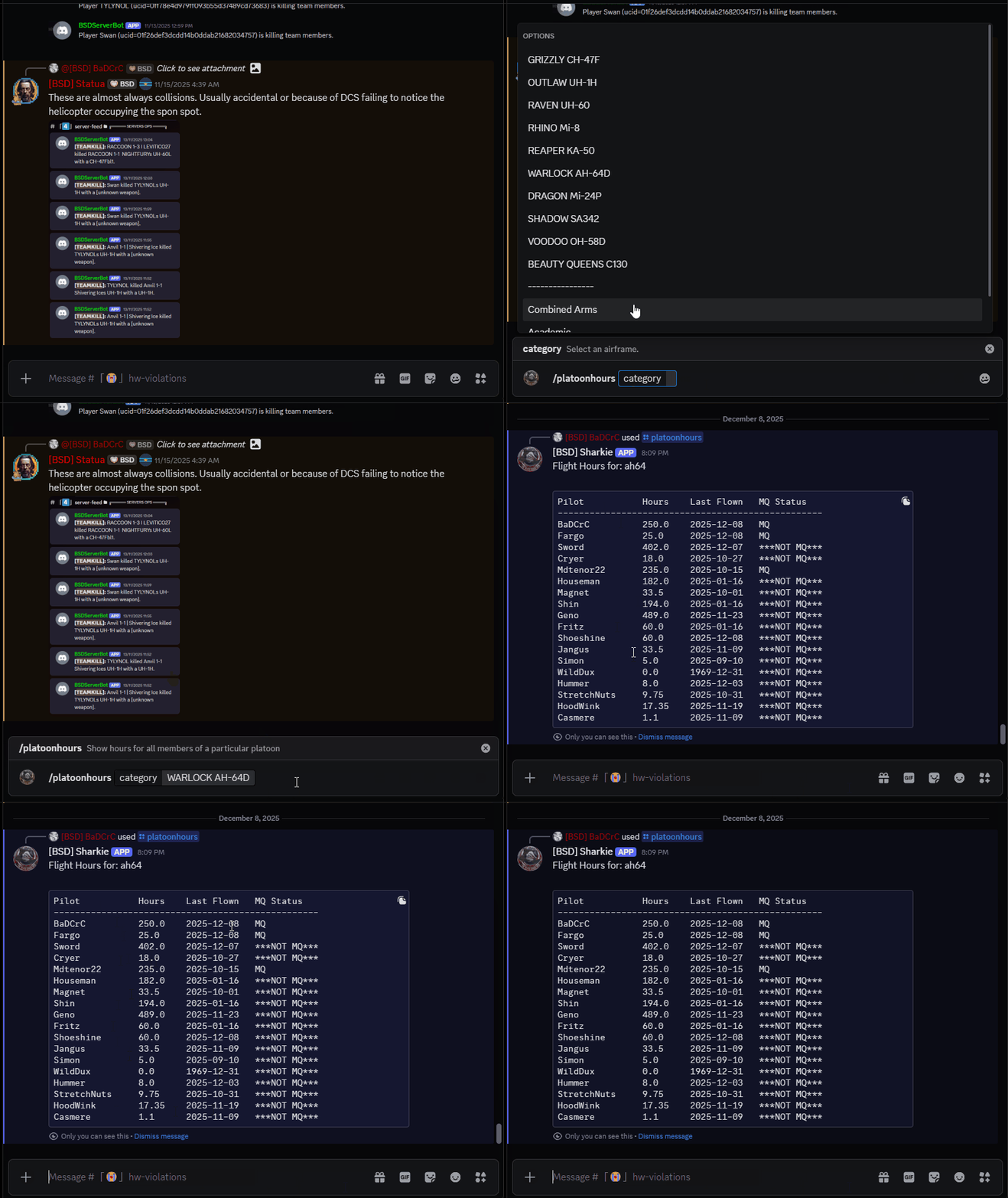
To check how many flight hours you logged on any of the official BSD aircraft, the total flight time you have and your currency on each of the helicopter you logged flight hours, go to any text channel on BSD Discord server and type /myhours followed by ENTER.
Adding flight hours /addhours
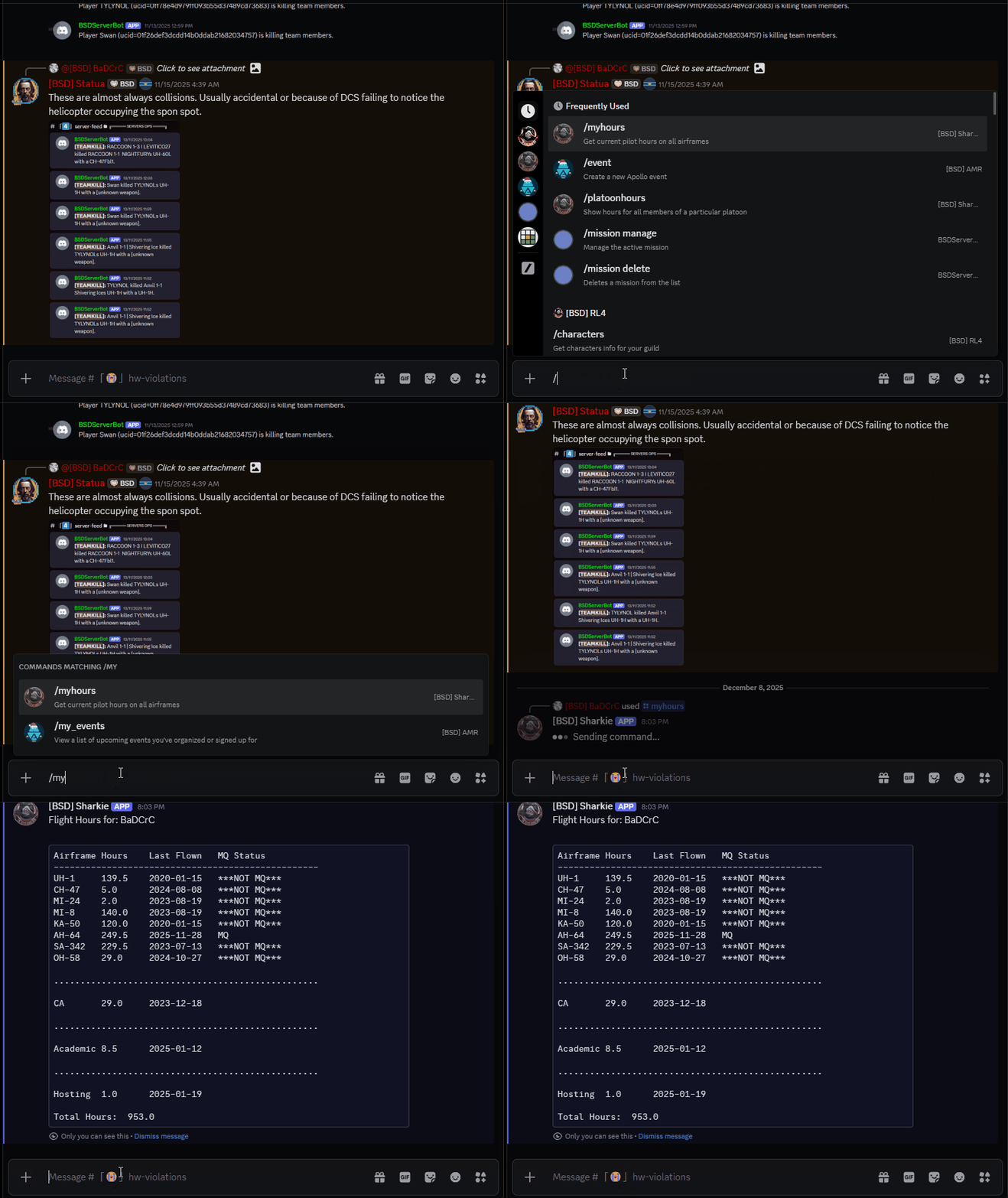
To add flight hours, go to any text channel on BSD Discord server and type /addhours followed by ENTER. From here, select in the dropdown menu the helicopter you want to log this flight time. Then, click inside the ‘hours’ field to type the flight time you want to add. Use a point, not a comma, for the decimal. Finally, click out of the ‘hours’ field to add the date of the flight you are logging in YYYY-MM-DD format. Finish by pressing ENTER.
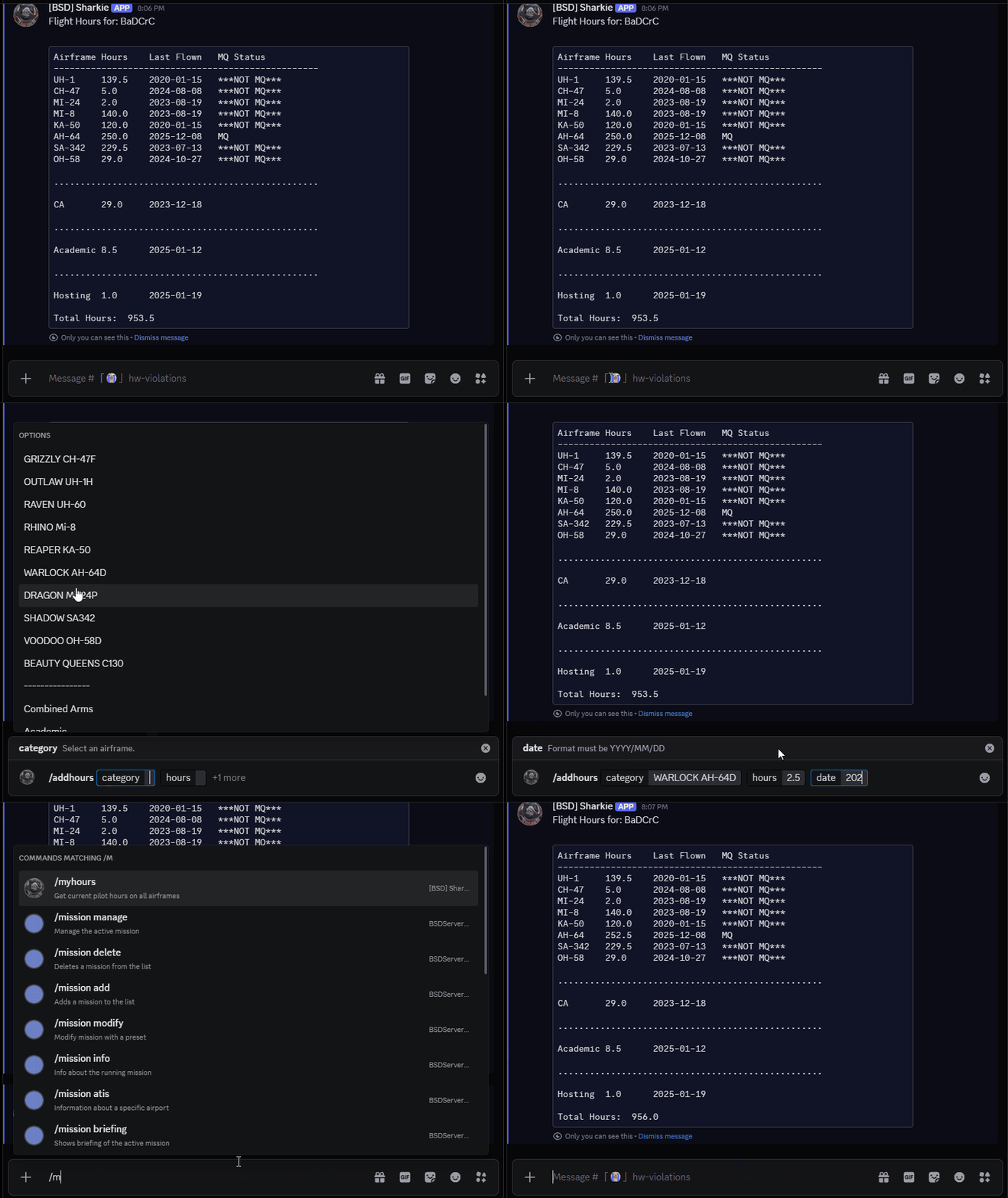
You can check if your flight time has been correctly logged by using the /myhours command again.
Do not forget to set the flight date
The bot is monitoring your currency on each helicopter based on the last logged flight date. You might end up having your MQ (Mission Qualified) tag removed despite a recent flight if you forgot this information. Thanks!
Removing flight hours /addhours
To remove flight time (because of a typo, or a misunderstanding about what flight hours are with BSD) simply use the same command /addhours but in the ‘hours’ field, type in a negative number.
Platoon status view /platoonhours
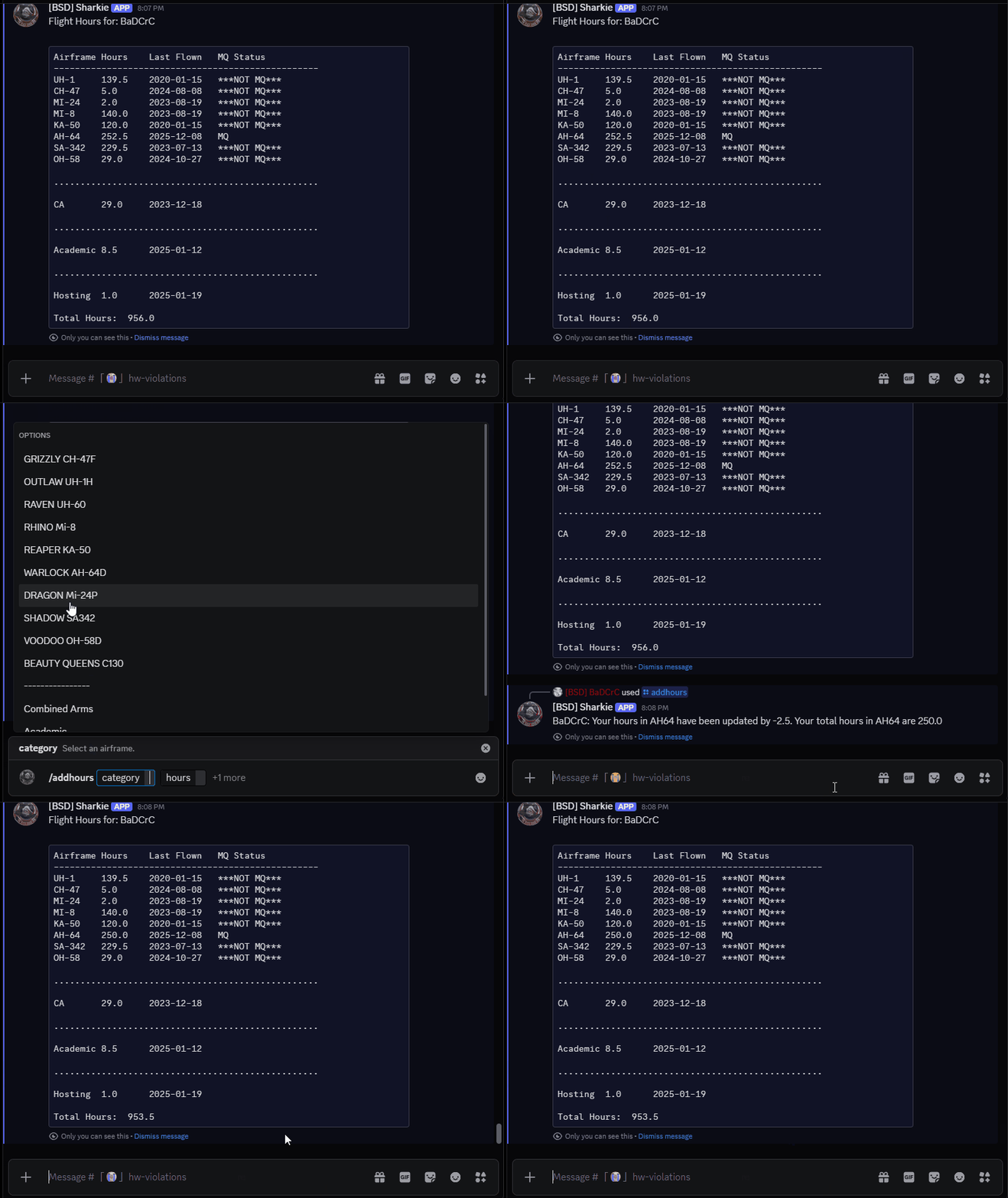
Your instructor or platoon leader can, at any time, get a synthetic view of his platoon using the command /platoonhours. This will allow him to see, at a glance, who’s slacking and who’s active and take the necessary actions.