
Setting-up a new pilot
The process to welcome and setup a new pilot at BlackSharkDen is extensively detailed in the BSD IP Guide available in the BSD library here on this website. Nonetheless, with the addition of Sharkie, our local home-grown bot for the BSD Discord Server, the process added a bit of complexity for the newly appointed IPs or PLs.
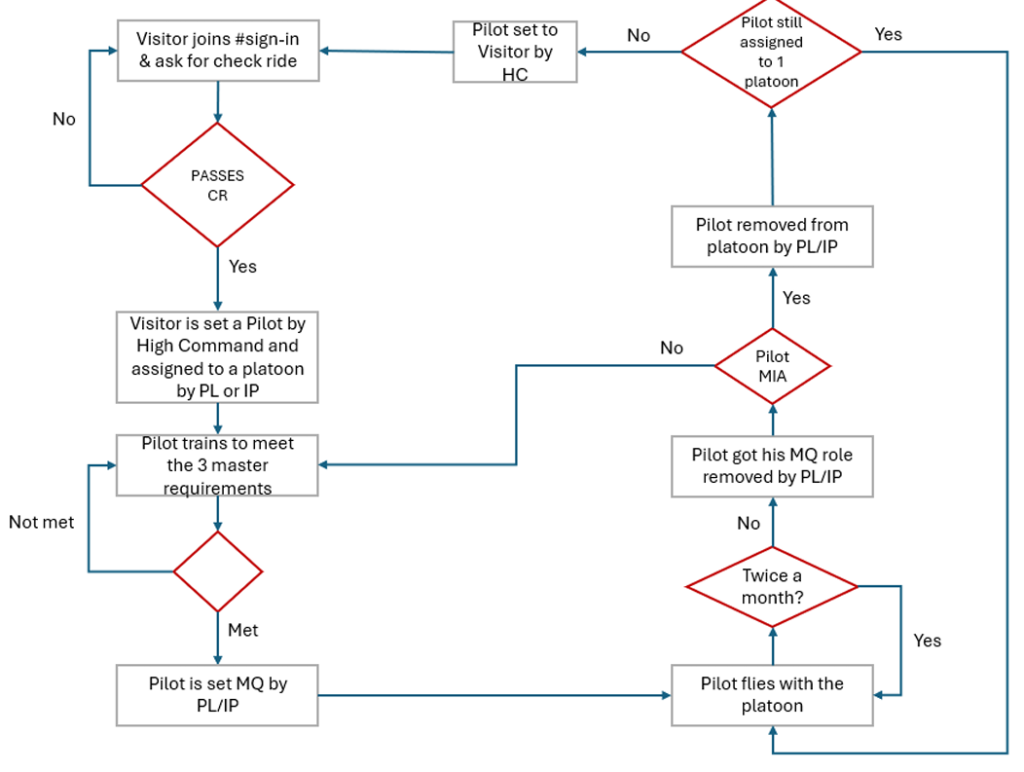
First of all, you will find above the generic life cycle of a BSD pilot that you, as an IP or PL, as expected to monitor for your platoon. At this point, we will assume that you got in touch with the new guy in the #sign-in channel, set up an introduction flight with him and came up with a positive evaluation of his capabilities to integrate your platoon based on the basic requirements that you should have seen on the YT videos (here and here). Now it’s time to set him up as a full-fledged BSD pilot.
Note: This part of the tutorial has been kindly written by [BSD] HoopDaBoob.
Adding a new member to the squadron
1- After passing the Introduction Flight the IP needs to ask the successful candidate to send a direct message to BaD CrC with their email address so he can set them up on the BSD website. (and so he can send him back his login/password details).
2- Go onto the BSD Discord and in the ‘Instructors’ channel announce that the candidate has passed and what Platoon they will be joining.
a) Mention they have, or will DM BaD CrC with their email address, or if you have it, put it into the chat
b) Also ask HC to set them up on Discord, please wait for confirmation from HC this is done before progressing to the next step.
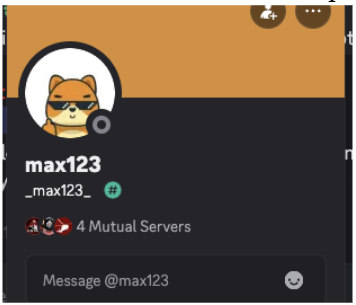
3- While in the Instructors channel type /addmember <username> to add them to the squadron. Please note that the username is case sensitive and must be typed exactly as it is seen. You can find the username by going into the ‘Sign-in’ channel and looking at their name there. For example, for this user you would type /addmember max123.
Note: Do not use the username in smaller font below, e.g. /addmember _max123_. Do not add the [BSD] tag in the front. [BSD] Kflash should be added “/addmember Kflash”.
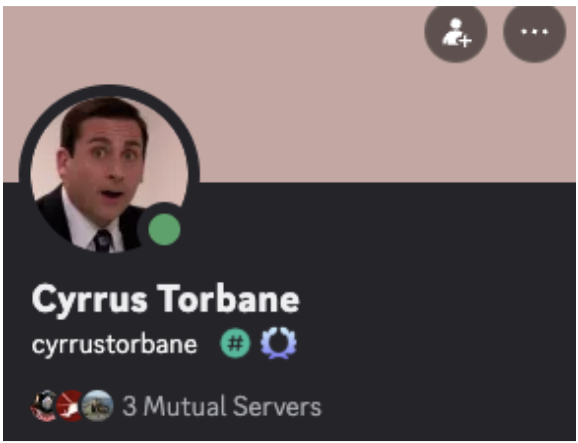
Furthermore, if the user has a space in their name, as shown below, then intervention will be needed by High Command to replace the space with an underscore. Please mention this in the Instructors channel as /addmember Cyrrus Torbane will not work.
Additionally, any non-ASCII characters such as Asian characters or Greek/Russian Cyrillic characters will need HC intervention as well.
Adding the new member to a platoon
Now the user has been added to the squadron you will need to assign them to the relevant platoon(s). You can do this using /unqualified <username> <platoon> command
For example:

This will add them to the platoon but without Mission Qualified (MQ) Status.
Checking the new member was successfully added
You should receive a message that the user was successfully added, but to be certain you can use the /platoonhours command to double check.
For example:

Will return a list of all the members of the platoon specified, if the user was successfully added you should now see them in the list of members.
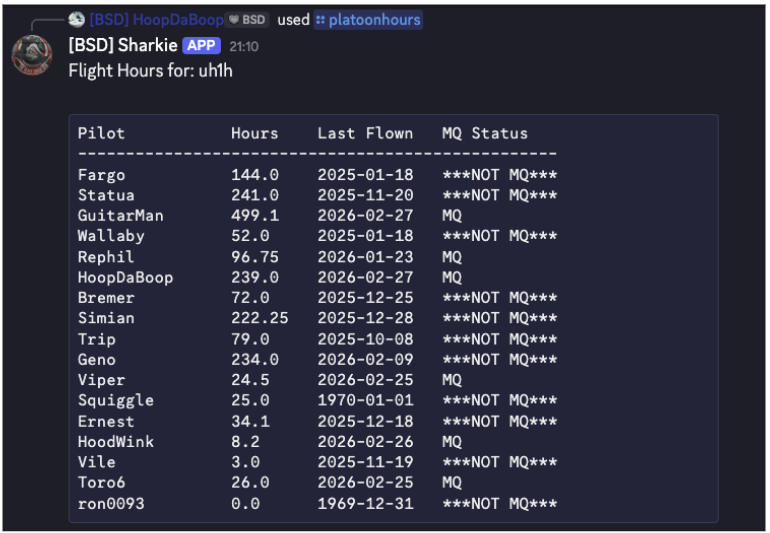
If you do not see them then please check the following:
– Did you make sure the username was added EXACTLY as it is seen, with capitals where they are used and you haven’t used an o instead of an 0, or vice-versa?
– Was there a space in the name?
– Does the username have any non-ASCII characters?
– Is the users nickname the same as another user’s nickname?
If needed, ask High Command for assistance.
Other responsibilities for the IP past the introduction flight
Assuming the candidate passed successfully you will also need to do the following:
1- Inform the pilot they need to install the BSD mods; full guidance can be found here. How to install BSD Mods
2- How to log your hours in Discord, full guidance can be found here Using your logbook on Discord
3- Ask them to set up SRS and assist if needed
4- Give them a guide on the BSD servers. Everything about the BSD servers
5- Brief them on what constitutes a “flight hour”, including pre-and post-brief, plus all off-BSD flying with other BSD pilots
6- Remind them they need to maintain 2 training sessions or missions a month
7- Show them how to sign up for training sessions
8- Advise them how to become Mission Qualified
9- Stress the importance that if you sign up for a mission, then turn up as last-minute changes cause delays and unnecessary overhead for mission designers
10- Tour of the Training server so they know how the CTLD menu works for the different areas. E.g. how to start the formation flight, or hover boxes in the non-combat area
11- Give them the group’s IP shortcut (e.g. @IP-UH1) so that they can ping the instructors
12- Share the SOP with them and guide them what to focus on first based on their ability
13- Add the [BSD] prefix to their callsign in DCS
14- Ask them to go to the Black Shark Den「📫」role-assignment channel and have them select which maps they have and what region they live in
15- Post a welcome note in BSD Chat
16- Write up any training notes for the other instructors of the platoon regarding issues with the pilot
17- Mention the donation to the BSD servers at the start of each year and if they like it here then please feel free to donate earlier as every cent counts
18- Ask them how they found out about BSD
Appendix
Here is a check list of the basics to check during the Introduction Flight. Note: this is based on the Huey and other airframes may vary. You may wish to sit in the co-pilot seat throughout the entire flight, or just during the initial start-up.
Start-up
Cold start the aircraft
Spot turns
Lift to an IGE hover and select reference points
check torque is 33 psi
EGT is in the green
Lift to an OGE hover and select reference points
check torque is 31-32psi
EGT is in the green
Drop back to IGE hover
Spot turns IGE (slowly using reference points)
90 degrees left
90 degrees right
360 degrees left
360 degrees right
Spot turns OGE (slowly using reference points) up to 50 feet
90 degrees left
90 degrees right
360 degrees left
360 degrees right
Back to IGE hover and land
Circuits
Choose a runway into the wind and set heading bug (e.g. Runway 06, set heading bug on HSI to 060)
Slow taxi IGE to runway. Do spot turn check for other aircraft
Head out 06 climb to 400′ at 70 knots (best rate of climb)
Turn right to 700′ and level around 20 degrees bank angle
Turn right downwind, remain straight and level at 700′ at 90 knots
Slow aircraft to 60 knots and turn base. Drop to 500′
Turn base onto runway. Keep runway in centre. 60 knots with rate of decent below 500 feet/minute and get to 30 knots ready to come to IGE hover where you took off
Do a 270 degree turn to make sure runway is clear
Clear the active runway down a taxiway and then put the aircraft down on the apron